

Baseline
1 Comment

Sophia C
said
8 months ago
Baselines are a way you can take a snapshot in time of your project so you can track how far you veer off from the project plan in key areas like start dates, finish dates, cost, etc...You add baselines by going to the baseline tab in the main menu at the top of your project, then select "manage baselines".
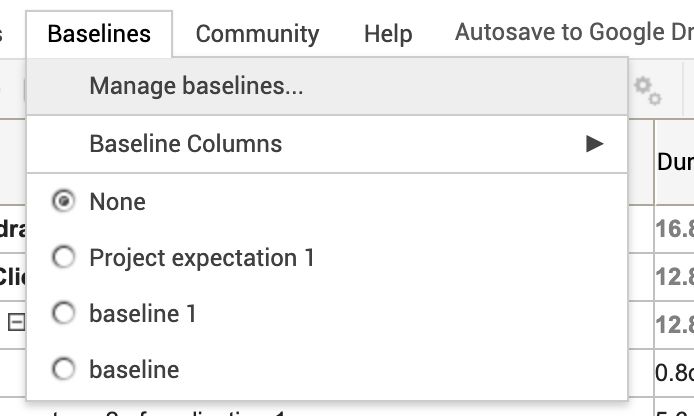
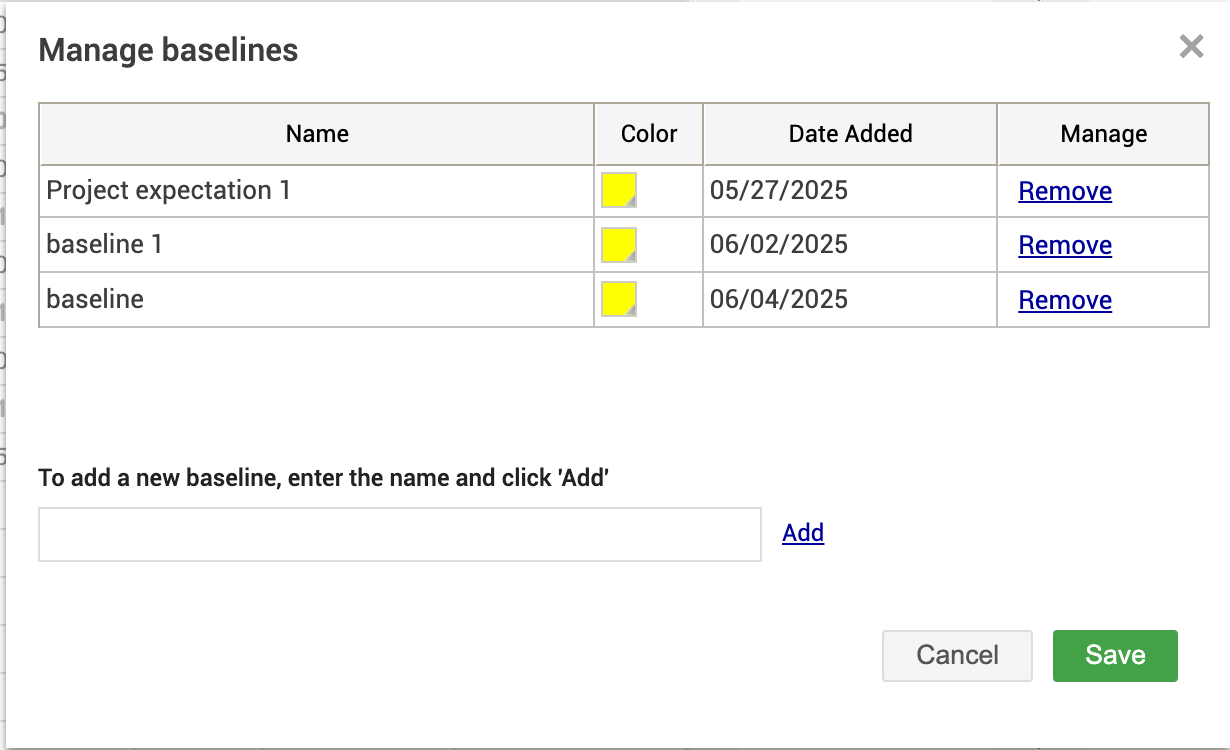
Then type in your new baselines name and assign it a color then hit "save"
Next go back into baselines then select the baseline you just created and it'll appear in your project below.
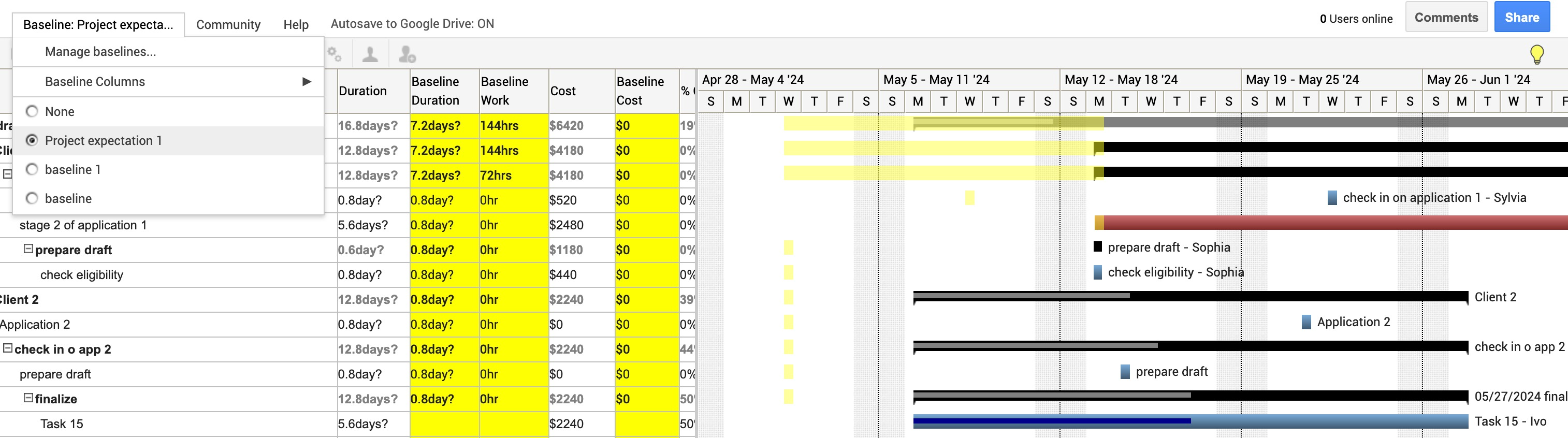
If a task's actual start date is later than the baseline, both bars will appear on the same task row. So in your case they will all be on the same task row but they will still show in separate colors like in this screenshot. The bright yellow showing purely the baseline, the red showing the actual bar, and the pale orange showing where the baseline bar and actual bar overlap.

- The baseline bar will show the original planned duration.
- The actual bar, in its designated color, will display the current schedule, starting later than the baseline.
- Baseline Color:
Navigate to the Baseline menu in the top toolbar.
Select Manage Baseline.
Choose your desired baseline and assign a color for easy identification.
Actual Task Color:
Go to the Colors tab.
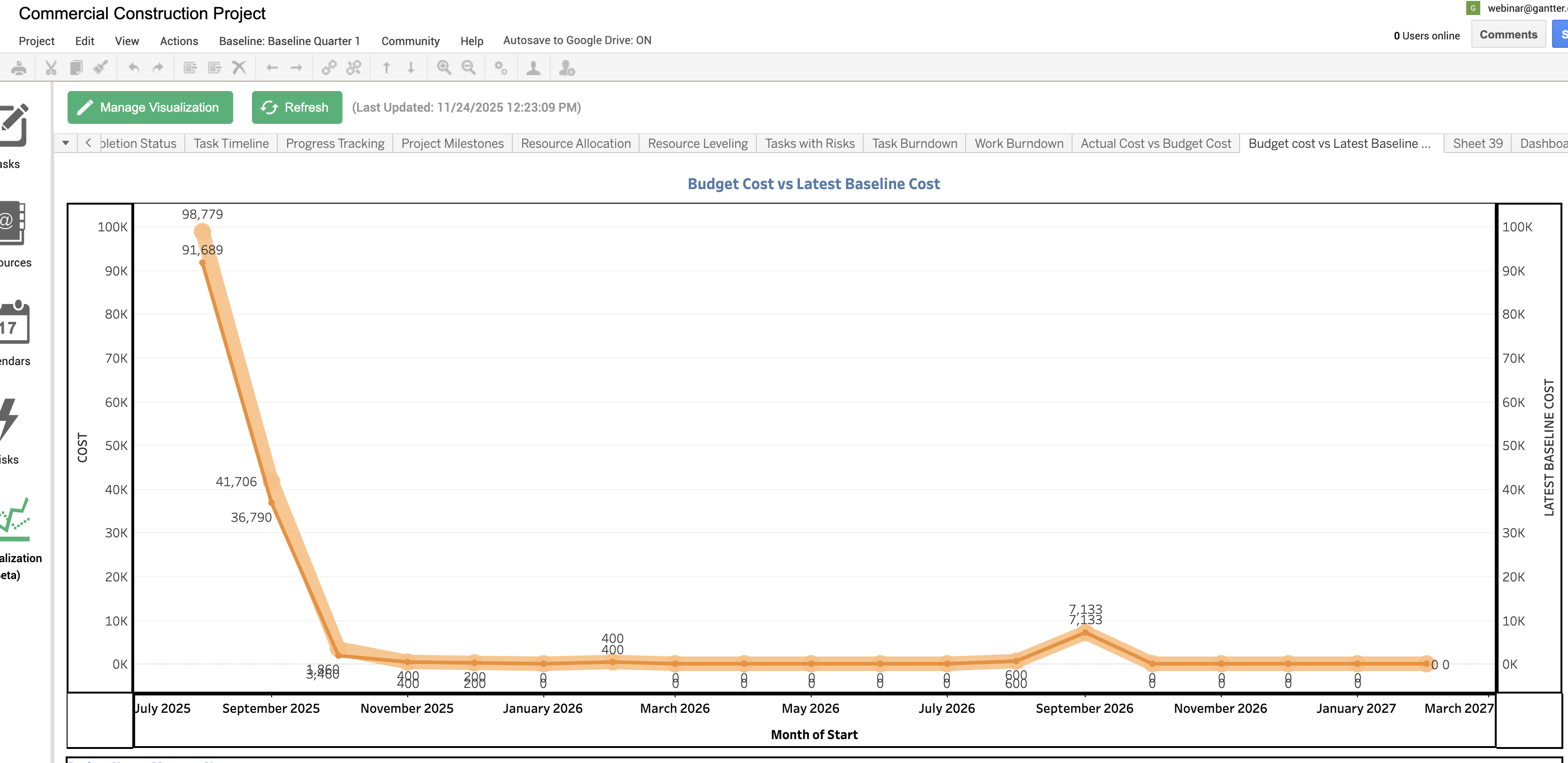
Then when you to to visualizations which is the analytic component of gantter you can see a couple reports that have to do with tracking your budget.
Hope this information I provided above is helpful If you would like I could hop on a call with you and provide a full demo of the product and answer any other questions you may have about gantter. If this sounds like it would be of interest please use this link to book a call with me.
To schedule please use this link, https://calendly.com/gantter
Looking forward to hearing from you soon, let me know if there's anything else you need.
Kind Regards, Sophia
Dandara Moloney
I wanted to get some more information on this one. I thought I would be able to highlight when I am over budget only, but I can't see the way to use it. Is there a tutorial for this tool? Thank you!